· Development · 8 min read
Running Parallel Wasp Start Instances with Git Worktrees
Git worktrees make parallel Wasp development possible, but truly isolated environments also need their own generated files, database, ports, and secrets.
Wasp is a great way to avoid rebuilding the same full-stack plumbing on every project. You declare the important pieces—auth, CRUD, async jobs, websockets, email—and it handles much of the wiring around your React, Node, and Prisma code.
We had been watching the framework for a while, but its move to a typed TypeScript specification was what made us want to use it on a new project of ours. It means proper editor support, a configuration layer that feels native to the rest of the codebase, and one less custom language to keep in your head. That is a meaningful difference when you are already moving quickly.
The good parts landed immediately:
- Auth comes built in. Email, OAuth, and social sign-in are declared instead of assembled from a pile of libraries.
- Full-stack operations are type-safe. Client calls to server code do not require the usual fetch, serialization, and hand-written type ceremony.
- Prisma is first-class. The schema leads, and migrations are a normal part of the workflow.
- The application ships as one unit. Client and server share types without turning into a monorepo-management project.
We enjoyed working with it. The framework lets you spend more time on application decisions and less time wiring together the same infrastructure for the tenth time.
That speed does come with one sharp edge: running more than one wasp start at a time is not as simple as starting a second Node server.
When we started a new project of ours, we wanted to reproduce bugs in isolation, review work without interrupting the main checkout, and let an agent work on a feature while we kept moving. Git worktrees were the starting point, but they were only half the solution. Here is the setup we built to make parallel Wasp environments reliable.
The problem: Wasp owns the build directory
Wasp generates an application into a .wasp/ directory. That path is fixed relative to the project root.
One wasp start in one checkout is fine. Two processes sharing that checkout are not. Both try to read and write the same generated files. Node servers cross-talk, Vite can pick up the wrong configuration, and the result is confusing and nondeterministic—not a clean port-conflict error.
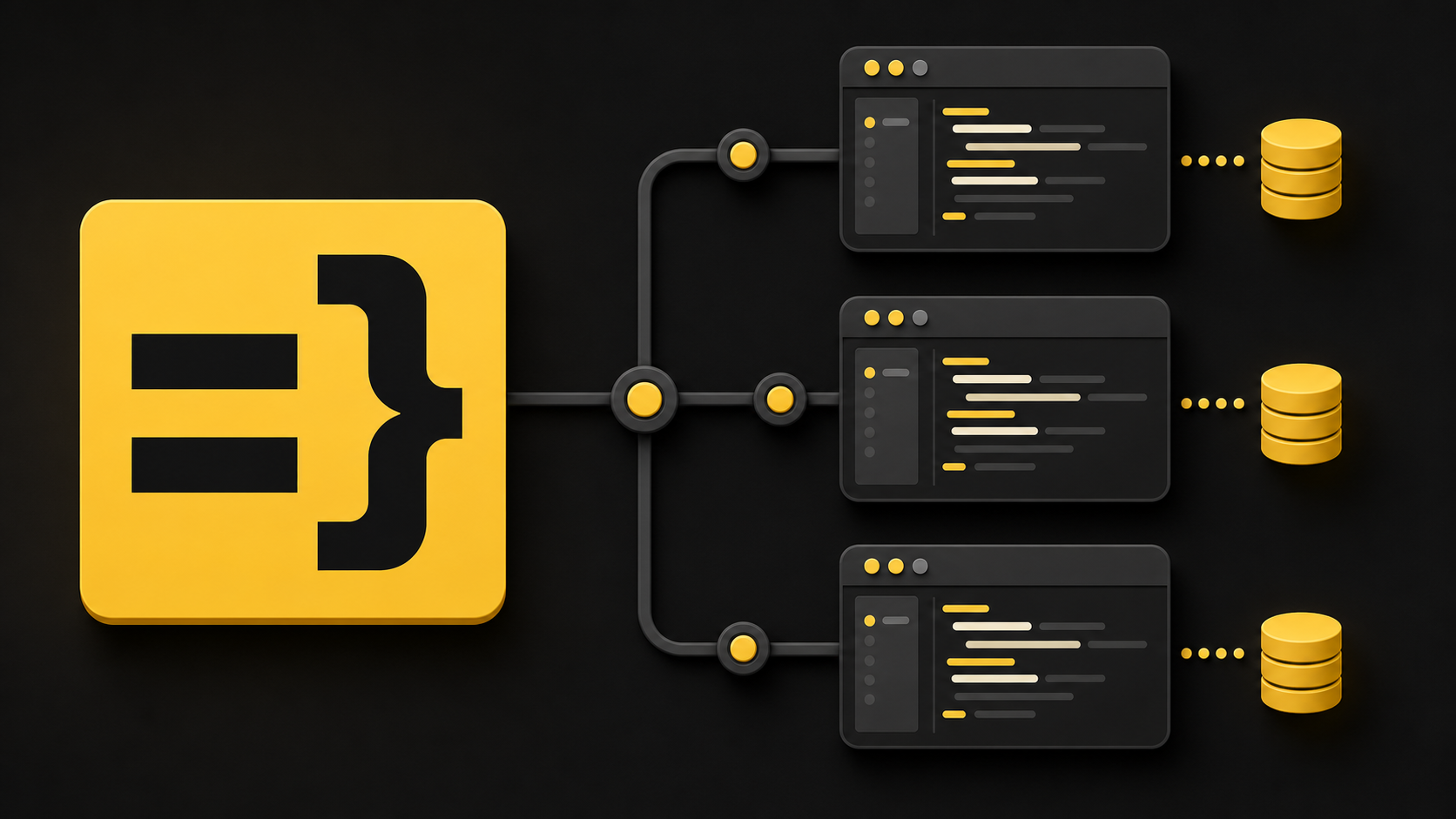
Git worktrees solve the first part of this. Every worktree has its own directory, so every instance gets its own .wasp/ output. But a second functional development environment also needs:
- A separate database, so test data and migrations do not collide.
- Separate client and server ports.
- The same development secrets as the main checkout.
Treating a worktree as a complete environment—not just a second folder—is the key.
Three Wasp details that matter
1. .wasp/ is fixed
This is the root cause. There is no configuration knob that relocates Wasp’s generated output, so separate working directories are non-negotiable for parallel instances.
2. Vite’s port must come from the shell environment
Wasp exposes variables from .env.client to the browser bundle through import.meta.env. Vite’s config runs in Node, though, so it reads process.env instead.
That means an environment-aware Vite configuration looks like this:
export default defineConfig({
  plugins: [wasp()],
  server: {
    open: false,
    port: Number(process.env.VITE_PORT ?? 4000),
  },
});
And a worktree must start Wasp with VITE_PORT in the shell environment:
cd ../project-feature-name/webapp
VITE_PORT=4500 wasp start
Putting VITE_PORT only in .env.client is a quiet footgun. The browser bundle sees it, but Vite itself may still start on the default port. Your new browser tab then appears to show the main app, which feels like caching until you notice the port never changed.
3. The server port comes from .env.server
Wasp’s Node server reads PORT from .env.server. Each worktree therefore needs its own PORT, plus matching WASP_SERVER_URL and WASP_WEB_CLIENT_URL values so the client and server agree on where each other live.
One name should drive the environment
The best ergonomic decision we made was to ask for one name and derive everything else from it. No forest of flags to remember. This is the exact shape of the setup we use on that new project, with the project name intentionally omitted.
| Derived value | Example |
|---|---|
| Worktree directory | ../project-feature-name |
| Branch | dev/feature-name |
| Database | project_feature_name |
| Server port | First available port at or above 3500 |
| Client port | Server port + 1000 |
The worktrees live alongside the main repository, not inside it. One command can then create a fully isolated environment, another can remove it, and a third can list every environment and its ports.
bash webapp/scripts/dev-worktree.sh feature-name
bash webapp/scripts/dev-worktree.sh --remove feature-name
bash webapp/scripts/dev-worktree.sh --list
How the isolation works
Give every worktree its own database
You do not need a second Postgres server or another Docker stack. Create a database on the same local server for each worktree, then write its DATABASE_URL into that worktree’s .env.server.
Database names need a little care. Postgres identifiers work best with lowercase letters, numbers, and underscores, so turn a worktree name like billing-ui into project_billing_ui for the database. Keep the original name for the directory and branch; normalize it only where Postgres requires it.
After creating the database, run wasp db migrate-dev against it. The fresh worktree then has a schema waiting before anyone opens the app.
Assign ports dynamically
Fixed port pairs are fine until the second extra worktree arrives. Dynamic assignment is less clever than it sounds and much more useful:
- Read each existing worktree’s
.env.serverand collect itsPORTvalue. - Reserve ports used by the main checkout and any dedicated test environment.
- Starting at a base port such as
3500, find a server port where both it andserver + 1000are free. - Probe candidates with
nc -zso you also avoid ports held by unrelated local services.
The client port always being server port plus 1000 makes the pairing easy to reason about. A --list command can inspect the env files and show the whole picture:
NAME             BRANCH               DATABASE                     SERVER   CLIENT   STATE
billing-ui       dev/billing-ui       project_billing_ui           3500     4500     run
triage-redesign  dev/triage-redesign  project_triage_redesign      3501     4501     -
Checking whether the server port is bound gives you a practical STATE column. It is a fast answer to “did my background process survive?” without having to remember another command or PID.
Inherit secrets, then replace only the isolated values
A worktree that cannot send email, use OAuth, or exercise payment flows is not a meaningful development environment. Instead of creating a stub .env.server, copy the main checkout’s values and overwrite only the keys the worktree manages:
{
  grep -vEv '^(DATABASE_URL|WASP_WEB_CLIENT_URL|WASP_SERVER_URL|PORT|VITE_PORT)=' "$MAIN_ENV"
  echo "DATABASE_URL=postgresql://$PG_USER@$PG_HOST:$PG_PORT/$DB_NAME"
  echo "WASP_WEB_CLIENT_URL=http://localhost:$CLIENT_PORT"
  echo "WASP_SERVER_URL=http://localhost:$SERVER_PORT"
  echo "PORT=$SERVER_PORT"
} > "$WT_WEBAPP/.env.server"
This keeps service credentials and development flags intact while ensuring the database and URLs point only to the new environment.
Never clobber an existing worktree
Creating a worktree should be safe to run twice. If the requested directory already exists, report its status and start command, then exit. Do not reset it, recreate it, or touch its uncommitted work.
That sounds obvious, but it is the difference between a development tool and a risky cleanup script. A feature worktree may contain several days of work.
Make teardown and sync work from inside the worktree
The two operations people need most often happen while they are standing inside the worktree: removing it and bringing it up to date with main.
For teardown, detect the current worktree, show its directory, branch, and database, and ask for confirmation. Protect the main development and test databases with an explicit no-touch list, and refuse to remove main or master branches.
One limitation is unavoidable: a child process cannot change the parent shell’s current directory. After a successful teardown, print the cd command back to the main checkout. Developers who want the directory change automatically can source the script rather than run it in a subprocess.
For sync, rebase the current feature branch onto the latest main. The useful trick is updating the local main reference without checking it out:
git update-ref refs/heads/main "$MAIN_REMOTE"First verify that the update is a fast-forward with merge-base --is-ancestor. Then rebase the feature branch. If there is a conflict, stop and let the developer resolve it—never force-reset or silently abort the rebase.
The gotchas worth writing down
- Two
wasp startprocesses in one directory can corrupt.wasp/. Use worktrees. - Put
VITE_PORTin the shell environment, not only in.env.client. - Open browser routes on the client port. The server port is for the API, not the Vite application.
- Stopping
wasp startcan leave child processes behind. Check the port state and kill strays by PID when necessary. - Cold starts take time: dependencies, Wasp compilation, migrations, and SDK builds add up. Budget a few minutes for a fresh worktree.
What I would improve next
The shell-level VITE_PORT requirement is still the roughest edge. It would be better if Wasp exposed client environment variables during Vite config evaluation, or offered a dedicated configuration escape hatch.
Database cleanup also deserves an audit command. If someone removes a worktree manually, its database can remain on the local Postgres server. Listing databases without matching worktrees would catch those leftovers.
Finally, nc is optional but valuable. Without it, the script can keep its own worktree ports unique but cannot see a random service already bound to a candidate port.
The takeaway
Git worktrees are standard Git, but a parallel full-stack Wasp environment needs more than a second checkout. Wasp’s fixed generated directory, the split between Vite’s shell environment and browser environment, and the server URL coupling mean the worktree has to be treated as a whole environment: directory, database, ports, and secrets.
On our new project, this now lets us keep the main checkout, a dedicated test worktree, and one or more feature worktrees running side by side. Each is a fully functional environment with no manual coordination over ports or data. Start an isolated environment, work without stepping on anyone else, sync when ready, and remove it cleanly when the feature is done.